
CharityStack changelog
Marketing, Smart Tagging, and Broadcast Revenue - Changelog Update 5
CharityStack's marketing tools now use the contacts and donation data already in your dashboard. Build an audience, send a message, and see the gifts connected to it without exporting a list.
Build campaigns and automated follow-ups with Email & SMS
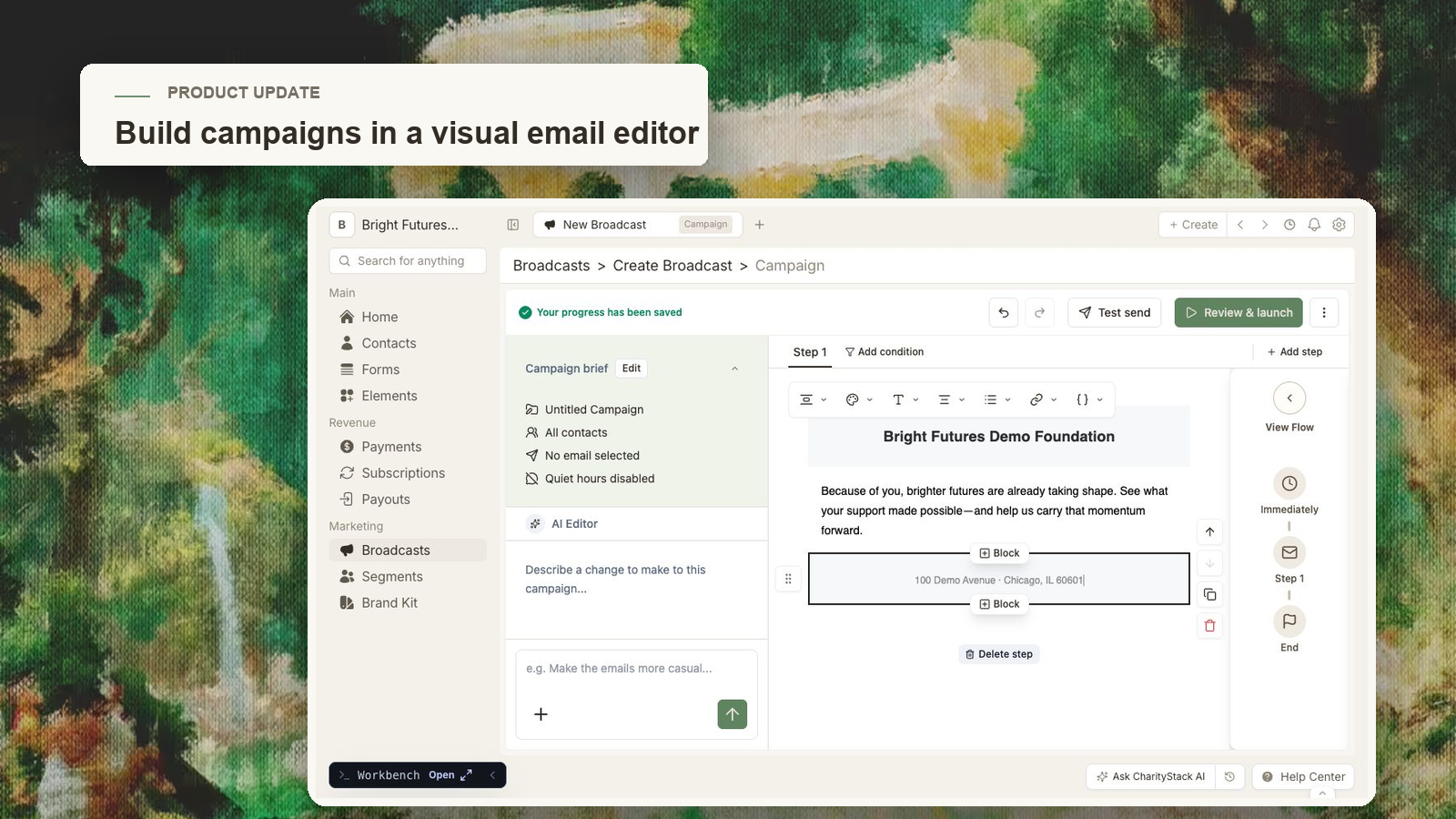
Broadcasts supports two kinds of outreach:
Campaigns are scheduled, one-time sends for appeals, newsletters, and announcements.
Triggers run when a donor takes an action, such as making a first recurring gift.
Choose a segment, describe the message you want to send, edit the draft, and then schedule the campaign or activate the trigger. Your Brand Kit applies your logo, colors, and email styling. You can send both Emails and SMS to your contacts.
Marketing is available on the Base plan and the Plus Plan.
Find and tag contacts in plain language
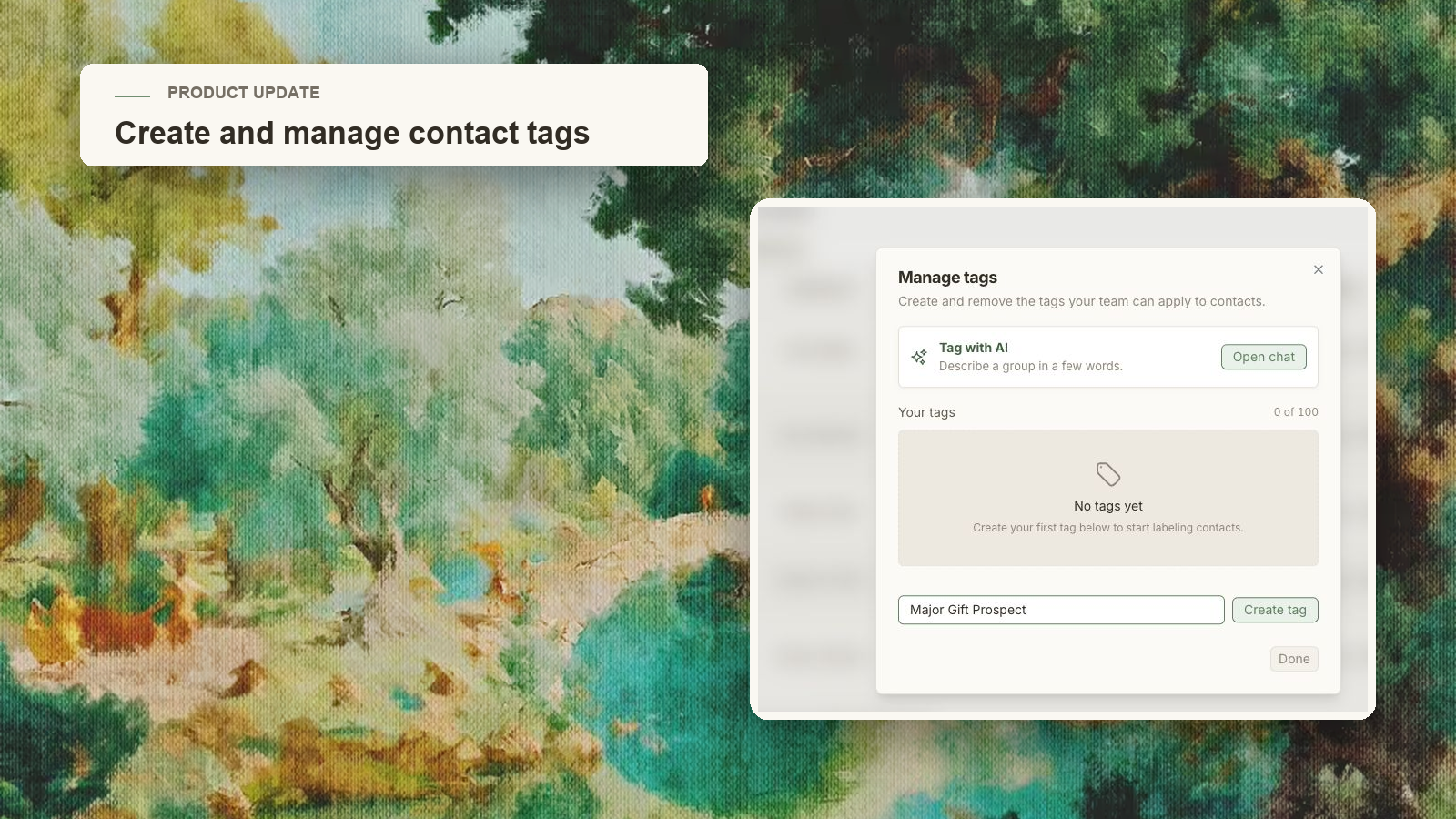
Smart Tagging lets you describe the contacts you want. For example: "Tag everyone who gave to the gala fund this year as Gala 2026."
CharityStack finds matching contacts and shows the list for review before applying the tag. You can uncheck individual contacts or change the request before confirming.
Tag management now lives on the Contacts page. Select Tags to create or remove tags, filter the table, or open Smart Tagging.
See what each broadcast raised
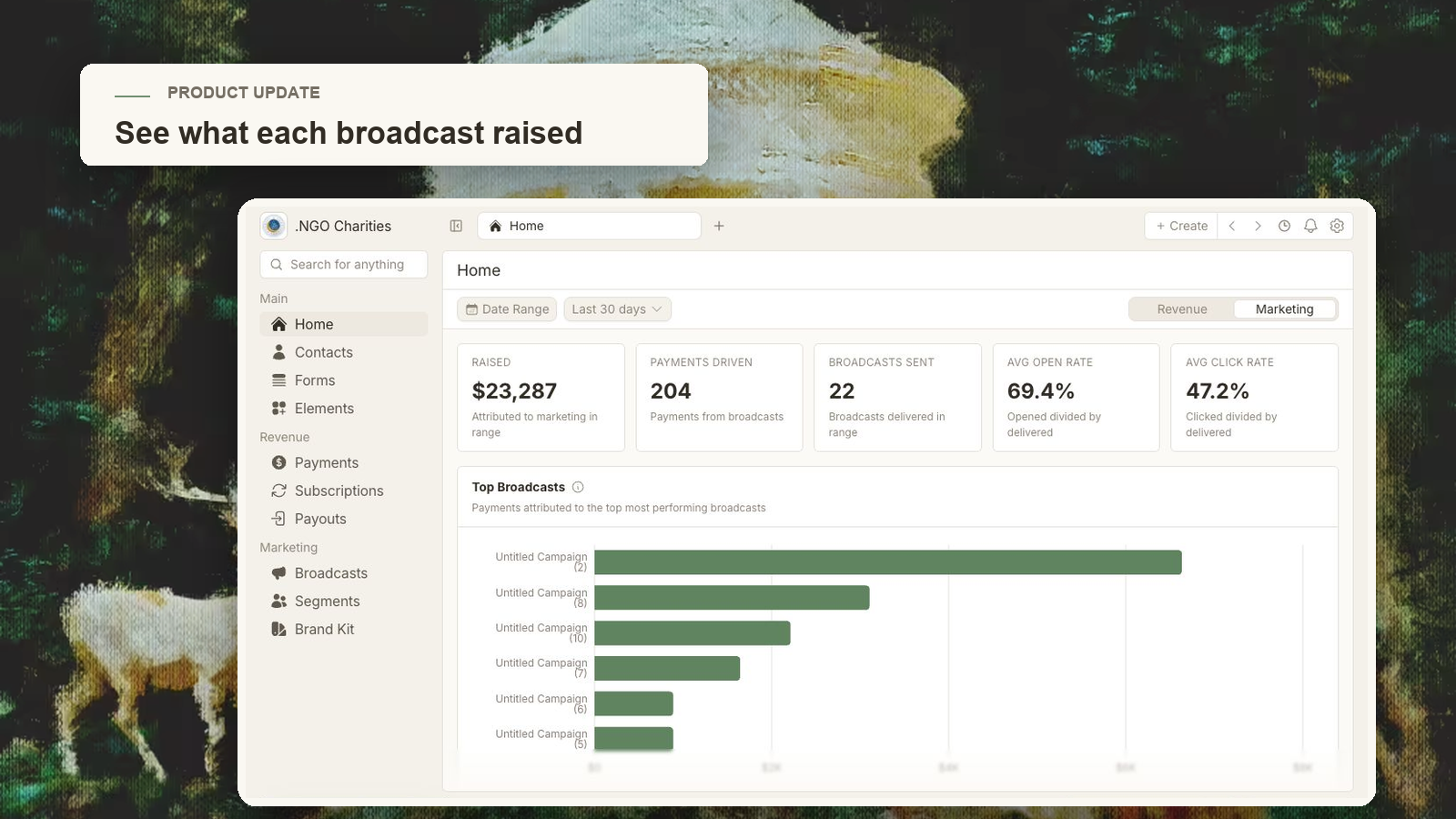
The Raised column on Broadcasts shows donations attributed to each campaign or trigger. Sort the list by amount raised, or filter it with a minimum and maximum amount.
Donation Impact separates gifts made through a tracked broadcast link from gifts likely influenced by a recent message. Partial refunds are subtracted from the total, and refund or dispute changes update the result.
Open a broadcast and select View Payments to inspect the gifts behind the number.
Switch between organizations
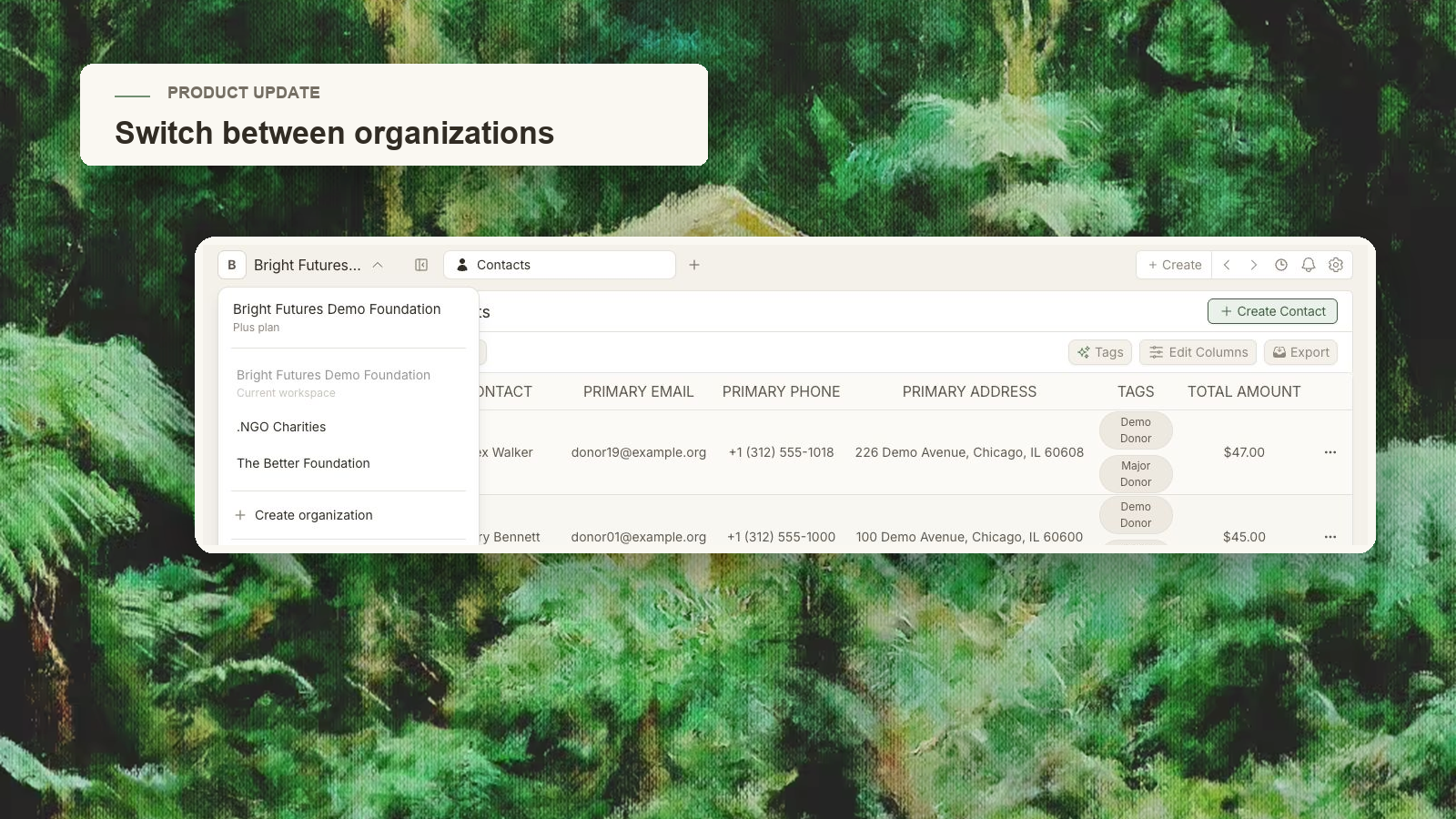
Teams that manage more than one nonprofit can now switch organizations from the dashboard. Your selected organization remains active when the dashboard reloads, so you do not have to choose it again.
Creating an additional organization now advances after one submission, without showing the previous transition flash.
Smaller improvements
Returning users are routed to sign-in, while new organizations continue through setup.
Billing now shows the number of trial days remaining and clearer cancellation details.